How to Make Your Old Phone Feel Brand New
Smartphones have become an essential part of everyday life, but replacing them every year can be expensive. The good news is that a phone doesn’t necessarily need to be brand new to perform well. In many cases, devices that feel slow, cluttered, or outdated can be significantly improved with a few simple changes.
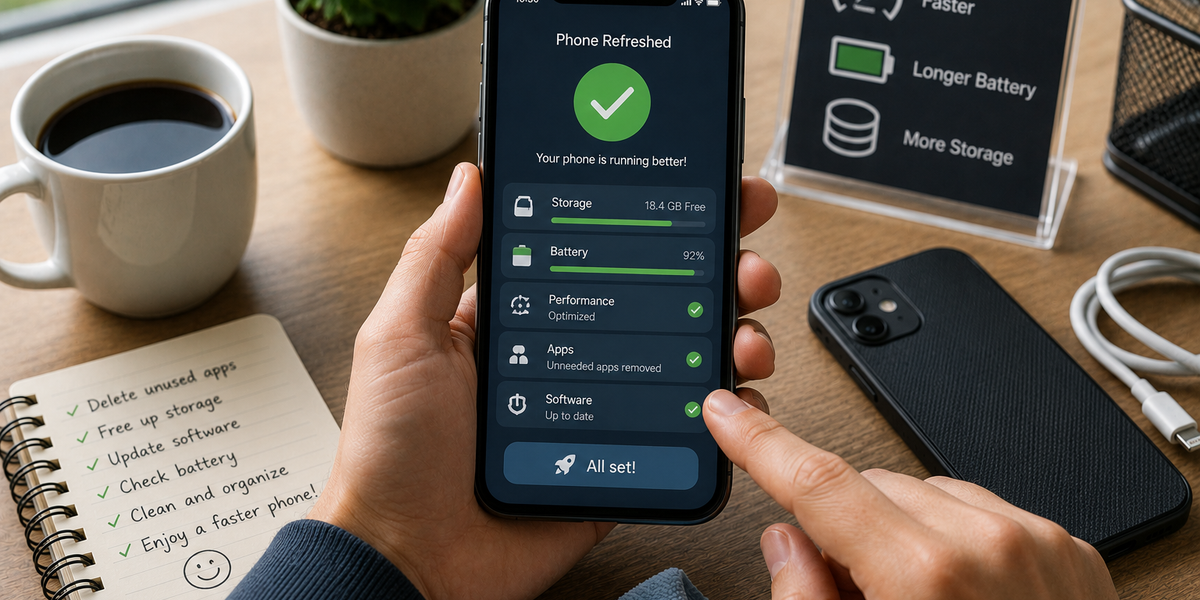
Before spending hundreds of dollars on an upgrade, it may be worth giving your current phone a refresh. A little maintenance can improve performance, extend battery life, free up storage, and make the device feel surprisingly new again.
While no trick can turn a five-year-old phone into the latest flagship model, many common frustrations can be fixed without spending a cent.
Key Takeaways
• Simple maintenance can noticeably improve phone performance.
• Clearing storage and removing unused apps often makes a device feel faster.
• Software updates can improve security and functionality.
• Battery health plays a major role in overall user experience.
• Small changes can extend the life of a phone and delay the need for an upgrade.
Start by Deleting What You Don’t Use
Most people accumulate apps over time and forget they even exist.
Unused apps take up storage space, run background processes, and can contribute to slower performance. Taking a few minutes to review installed apps and remove the ones you no longer use can free up valuable resources.
The same applies to old screenshots, duplicate photos, downloaded files, and videos that have been sitting on the device for years.
A cleaner phone often feels noticeably faster and more organized.
Free Up Storage Space
Storage shortages are one of the most common reasons phones begin to feel sluggish.
When available storage becomes limited, devices can struggle to perform routine tasks efficiently. Photos, videos, messages, and app data often consume far more space than people realize.
Moving files to cloud storage, deleting unnecessary downloads, and clearing large media folders can create more breathing room for the device.
Many users are surprised by how much smoother their phones feel after reclaiming storage space.
Update Your Software
Software updates are not just about new features.
Manufacturers frequently release updates that improve performance, fix bugs, enhance security, and optimize battery usage. Running outdated software can sometimes contribute to problems that have already been solved in newer versions.
Checking for system updates and updating frequently used apps can help keep a phone running as efficiently as possible.
A fully updated device often feels more stable and responsive.
Refresh Your Home Screen
Sometimes a phone feels old simply because it looks exactly the same every day.
Changing the wallpaper, reorganizing apps, removing clutter, and creating cleaner layouts can make the device feel surprisingly fresh. Small visual changes can improve the overall experience without affecting performance at all.
Many people underestimate how much a cleaner, more organized interface can improve everyday usability.
A fresh look can make an old device feel far less outdated.
Check Your Battery Health
A declining battery can make even a powerful phone feel frustrating to use.
Unexpected shutdowns, rapid battery drain, and constant charging are common signs that the battery may be aging. In some cases, replacing the battery can dramatically improve the experience and extend the life of the device for several more years.
Considering the cost of a new phone, a battery replacement is often one of the most cost-effective upgrades available.
For many users, battery health matters more than raw performance.
Restart Your Phone More Often
It sounds simple, but restarting a phone can solve a surprising number of problems.
Over time, background processes, temporary files, and minor software glitches can accumulate. A restart clears many of these issues and gives the system a chance to start fresh.
Many people rarely power off their phones, which means performance issues can gradually build up unnoticed.
A quick restart is one of the easiest maintenance habits you can adopt.
Review Your Settings
Phones often accumulate unnecessary settings changes over the years.
Background app refresh, location services, notifications, and automatic downloads can all affect performance and battery life. Reviewing these settings periodically can help identify features that are consuming resources without providing much benefit.
Small adjustments may not seem significant individually, but together they can noticeably improve the overall experience.
Sometimes the fastest phone is simply the one doing less unnecessary work.
Avoid the Upgrade Trap
Technology companies release new devices every year, often creating the impression that older phones become obsolete almost immediately.
In reality, many smartphones remain perfectly capable for several years. While newer models may offer improved cameras, faster processors, and additional features, many users don’t actually need those upgrades to enjoy a smooth experience.
Before replacing a phone, it may be worth asking whether the problem is truly the device or simply a lack of maintenance.
A little attention can often restore much of the performance people thought they had lost.
Giving Your Phone a Second Life
A phone doesn’t need to be brand new to feel enjoyable to use. In many cases, a combination of cleaning, organizing, updating, and maintaining the device can make a remarkable difference.
These improvements may not generate the excitement of unboxing a new phone, but they can deliver many of the same practical benefits. Better performance, more storage, longer battery life, and a cleaner experience can make an older device feel refreshed and reliable again.
Sometimes the smartest upgrade isn’t buying a new phone at all. It’s getting the most out of the one you already have.